

Quick Summary
Pharma ERP is an ERPNext-based approach to connecting pharmaceutical production, inventory, procurement, quality and financial operations. It supports batch-level stock visibility, production planning and structured inspection records. This guide covers essential features, business modules, practical benefits, implementation stages and compliance considerations to help manufacturers evaluate whether ERPNext fits their processes and growth plans.
Table Of Contents
Introduction
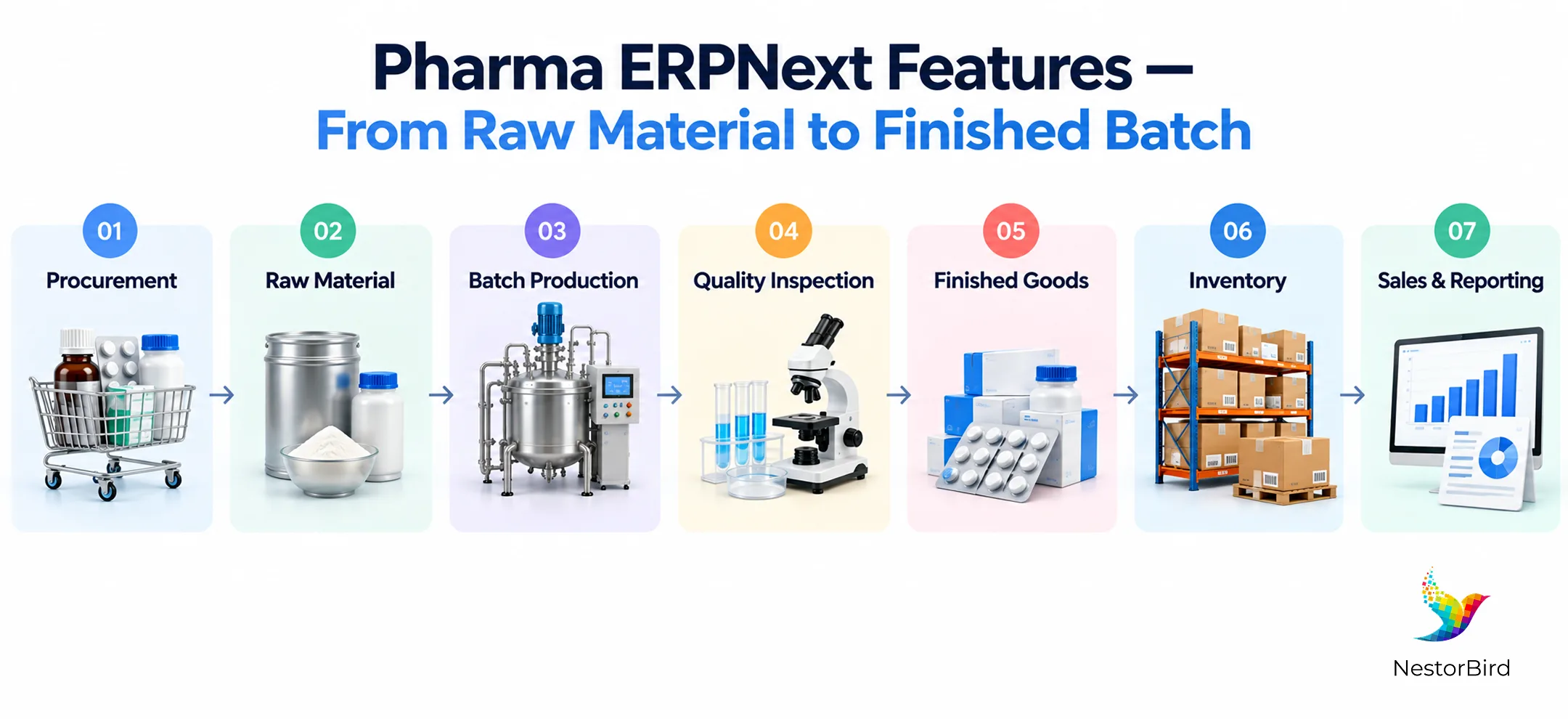
A pharmaceutical batch passes through procurement, production, quality checks, storage and dispatch. When each team works in a separate system, finding accurate stock figures or tracing a material can take unnecessary effort. Pharma ERPNext connects these activities through shared business records.
Manufacturers can coordinate production with material availability, capture inspection results and review purchasing and financial transactions. The goal is better operational visibility, supported by configuration suited to each company’s processes and regulatory responsibilities.
Key Takeaways
Connect production, inventory, quality, procurement and finance in one system.
Track batch movements and expiry information through recorded stock transactions.
Use BOMs, work orders and job cards to coordinate production.
Plan implementation around process mapping, migration, testing and user training.
Assess validation, data integrity and quality controls separately from software functionality.
What Is Pharma ERPNext?
Pharma ERP is ERPNext configured for pharmaceutical manufacturing and its associated commercial operations. It combines standard ERP capabilities with business-specific workflows and any necessary extensions.
How ERPNext Fits Pharmaceutical Manufacturing
Bills of materials, work orders and stock transactions help connect planned production with material consumption. ERPNext manufacturing software can give teams a shared view of these activities when the relevant modules are configured and used consistently.
What Pharma Businesses Can Manage With ERPNext
Production schedules, BOMs, work orders and job cards
Raw materials, finished goods, batches and warehouses
Purchasing, supplier records and customer orders
Quality inspections, accounting and operational reports
Key Pharma ERPNext Features
The value of Pharma ERPNext comes from linking everyday activities rather than treating each department as a separate operation.
Batch and Serial Number Tracking
Record batch identities, serial numbers where applicable, stock movements and expiry details for inventory visibility.
Manufacturing and Production Planning
Use BOMs, production plans, work orders and job cards to organize material requirements and shop-floor activity.
Inventory and Warehouse Management
View raw materials and finished goods across warehouses, including batch-wise quantities and movements.
Quality Management
Define inspection templates, test parameters and recorded results for configured quality checkpoints.
Procurement and Supplier Management
Connect purchase planning, supplier details, purchase orders and receipts to material availability.
Accounting, Reporting and Analytics
Link operational transactions to financial records and reports for cross-department visibility.
Pharma ERPNext Modules You May Need
Not every manufacturer needs every module from day one. A focused configuration begins with the workflows that must share reliable data.
Module | Pharmaceutical Use |
|---|---|
Manufacturing | BOMs, production plans, work orders and job cards |
Stock & Inventory | Batch-wise stock, expiry details and warehouse movements |
Quality | Inspection templates, checks and recorded results |
Buying | Suppliers, purchase orders and material receipts |
Selling | Customer orders, delivery and invoices |
Accounting | Transactions, valuation and financial reports |
CRM | Customer interactions and sales follow-up |
HR & Payroll | Employee and payroll administration |
Manufacturing, Stock and Quality can work together to link material use, production and inspection history. Explore the broader manufacturing ERP capabilities that support these connected workflows.
Benefits of Using ERPNext for Pharmaceutical Businesses
Operational Challenge | ERP Capability | Potential Benefit |
|---|---|---|
Batch records across files | Linked batch and stock transactions | Clearer traceability |
Uncertain material availability | Shared inventory and production records | More informed planning |
Scattered inspection results | Structured quality records | Easier record retrieval |
Repeated departmental entry | Connected business transactions | Less duplicate work |
Delayed reporting | Integrated operational and financial data | Faster information access |
These benefits depend on accurate master data, appropriate configuration and disciplined day-to-day use.
Pharma ERPNext Implementation Guide
A practical rollout should reflect how the factory actually operates, including quality responsibilities and any validation obligations.
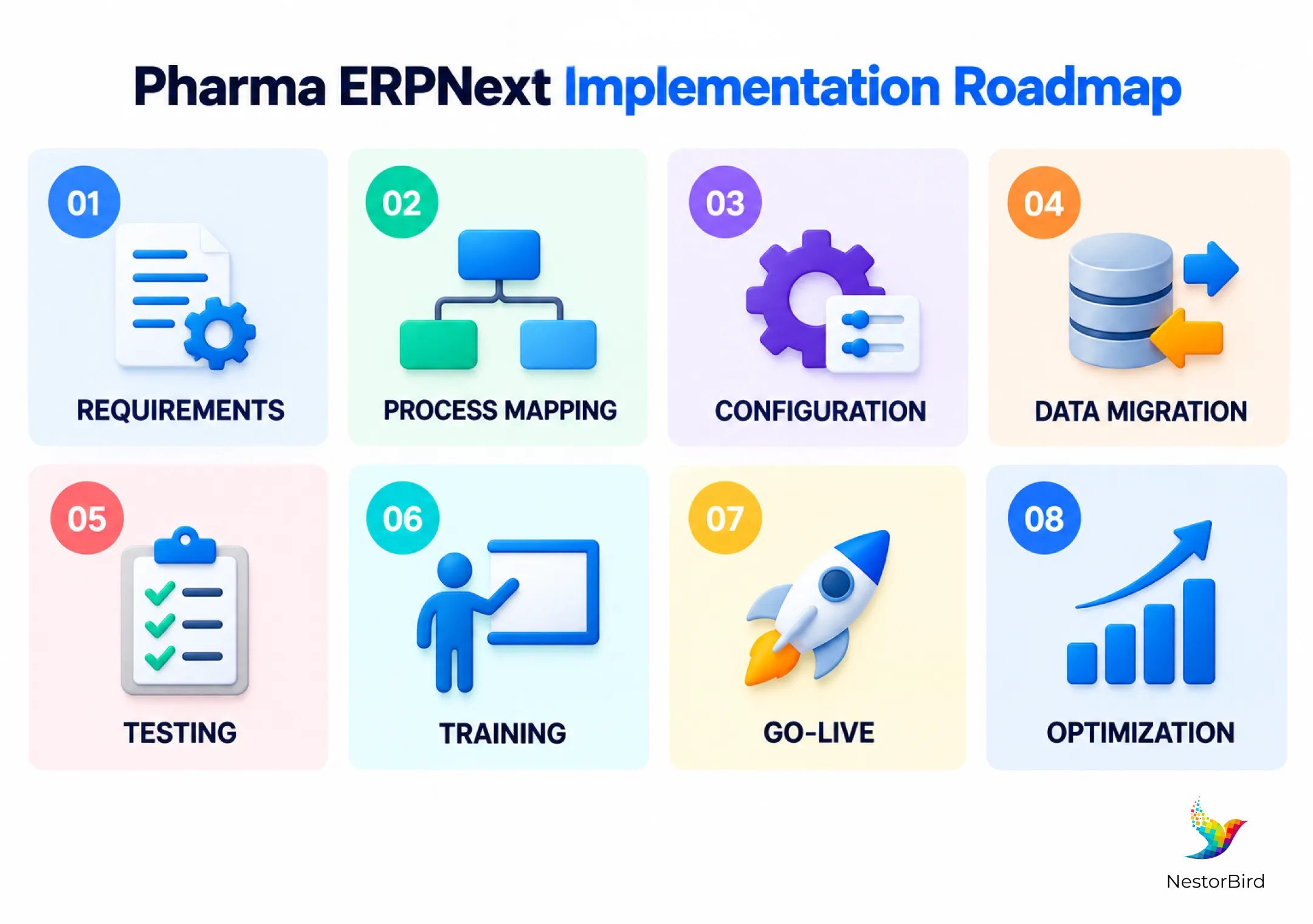
1. Assess Requirements and Map Processes
Document production, warehouse, purchasing, quality and finance workflows. Identify regulatory requirements, approvals and integrations.
2. Configure ERPNext
Set up modules, master data, BOMs, user roles, permissions and agreed workflows. Limit customization to genuine business needs.
3. Migrate and Validate Data
Clean and import item, supplier, customer, stock and batch records. Reconcile migrated information before operational use.
4. Test and Train Users
Test material receipt, production, inspection, transfers and reporting with realistic scenarios. Train users by role.
5. Go Live and Optimize
Deploy in phases where practical, monitor exceptions and improve processes after users begin working in the system.
A structured ERPNext implementation helps align the software with production, inventory and quality processes.
Pharma ERPNext: Compliance and Traceability Considerations
ERPNext can help maintain batch-linked inventory transactions, inspection results and controlled business workflows. However, an ERP installation does not automatically make a pharmaceutical operation compliant. Manufacturers must evaluate applicable GMP rules, electronic-record requirements, system validation, access permissions, change control and record retention. These controls depend on the intended use and jurisdiction.
For further context on pharmaceutical ERP software, see NestorBird’s pharma manufacturing resource. The FDA also provides guidance on electronic records and electronic signatures.
Is Pharma ERPNext Suitable for Your Business?
Pharma ERPNext may suit manufacturers and formulation businesses that want to replace disconnected spreadsheets or connect multiple departments and warehouses.
Multiple production batches and warehouse locations
A need for coordinated procurement, production and inventory
Structured inspection records and batch-level visibility
Growing operations that require shared financial and operational data
The right configuration depends on process complexity, integrations, quality-system requirements and the extent of customization needed.
Conclusion
Pharma ERPNext can connect the records behind production, purchasing, inventory, quality and finance, giving teams a clearer operational picture. Its usefulness depends on careful process mapping, reliable data, sensible configuration and effective user training. For pharmaceutical manufacturers, regulatory requirements and validation must remain part of the implementation plan rather than being treated as automatic outcomes of installing ERP software.

Frequently Asked Questions
It is ERPNext configured to connect pharmaceutical manufacturing with inventory, purchasing, quality and financial workflows.
It can support relevant operations, but suitability depends on production complexity, required controls and any necessary extensions.
Common choices include Manufacturing, Stock, Quality, Buying, Selling and Accounting, with CRM or HR added as needed.
Yes. It supports batch and serial records associated with stock transactions, subject to correct setup and use.
It records stock quantities, warehouse movements, batch information and expiry dates for configured items.
It supports inspection templates and recorded results. Additional pharmaceutical quality processes may require configuration or integration.
Connected records can improve batch visibility, planning, interdepartmental coordination and access to reports.
Timing varies with scope, data quality, integrations, customization, validation and training needs.
Yes. Workflows and extensions can be tailored, but changes should be documented and appropriately tested.
No. Compliance also requires suitable procedures, validated systems where applicable, trained staff and effective organizational controls.