
Quick Summary
ERP for manufacturing connects production, inventory, purchasing, sales, finance, and other business functions through shared data. By replacing disconnected spreadsheets and systems with centralized data management, a manufacturing ERP gives teams consistent information, improves real-time visibility, and supports faster, more informed operational decisions across the organization.
Table Of Contents
Introduction
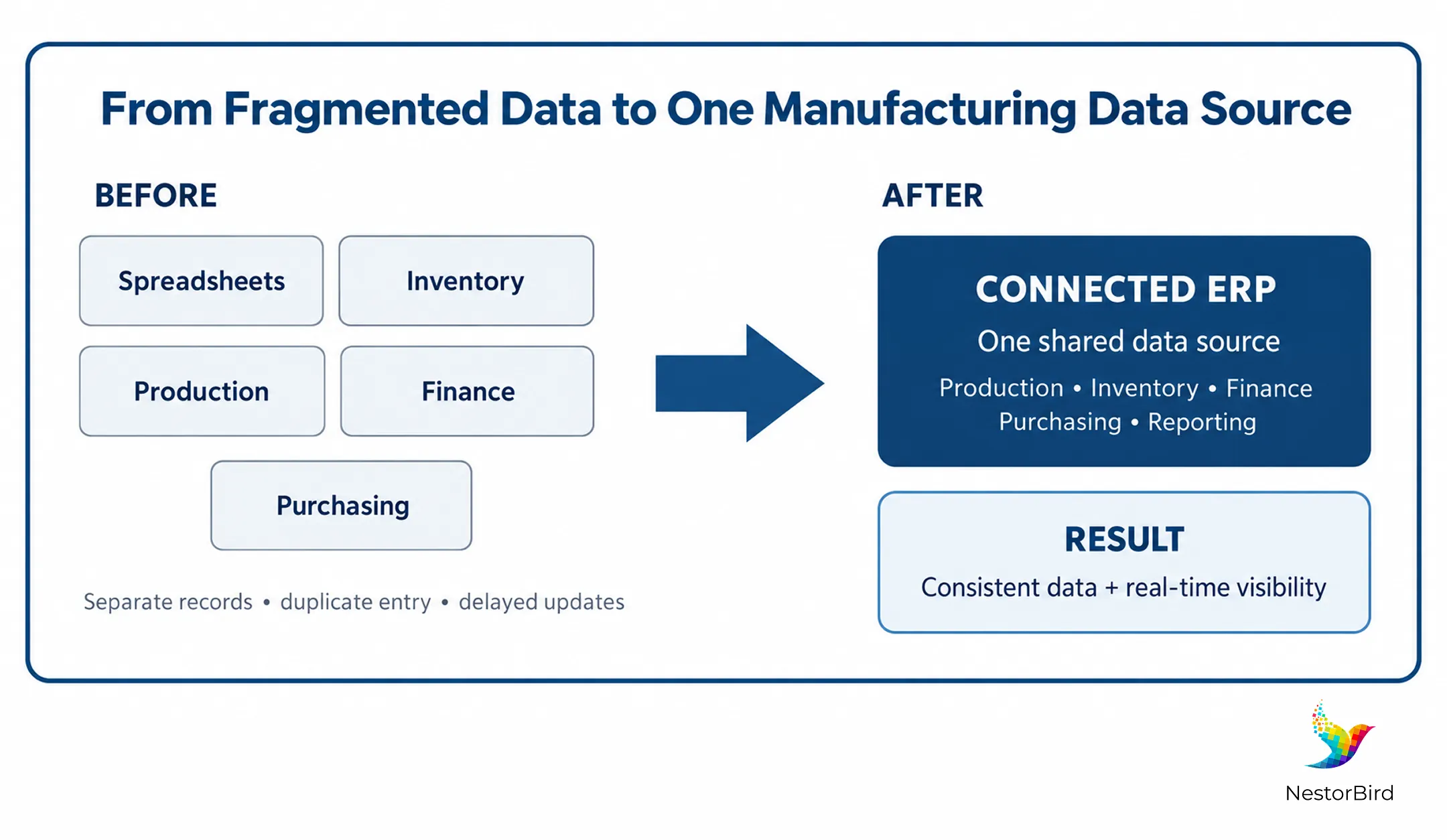
Manufacturing ERP helps businesses move away from disconnected spreadsheets, duplicate entries, and delayed reports. With ERP data integration, production, inventory, purchasing, sales, and finance can work from connected information. Instead of asking different teams for separate updates, managers can use a shared operational picture to understand what is happening across the business and respond with greater confidence for better coordination and planning.
Key Takeaways
Manufacturing ERP creates a centralized source for connected business data.
Production, inventory, purchasing, sales, and finance can work with shared information.
ERP reduces repetitive data entry and conflicting departmental records.
Real-time data visibility helps managers respond to operational changes faster.
Integrated reporting connects operational information with financial insights.
The right ERP software can support production, MRP, procurement, inventory, quality, and reporting workflows.
What Does “Single Source of Business Data” Mean in Manufacturing?
A single source of business data means that different departments work with connected and consistent information instead of maintaining separate versions of the same data.
For a manufacturer, this can include production orders, inventory levels, purchase requirements, sales orders, material requirements, costs, quality information, and financial data.
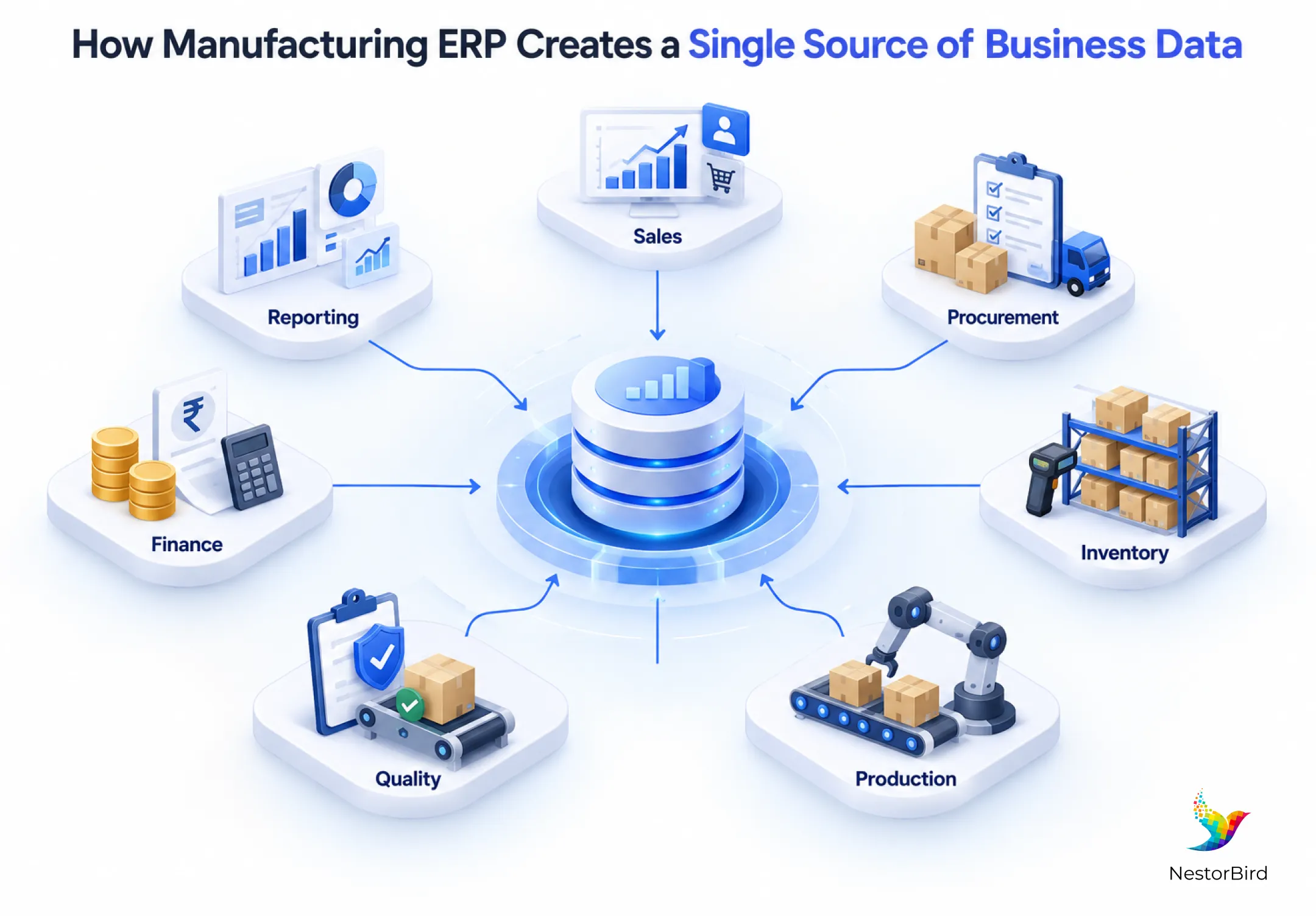
A manufacturing ERP creates a single source of business data by storing connected operational and business information within one integrated system.
Why Disconnected Manufacturing Data Creates Problems
Manufacturers often use a combination of spreadsheets, accounting applications, inventory systems, production registers, and other standalone tools. The problem is not necessarily the existence of these tools. The bigger issue is that the information inside them may not be connected.
For example, the inventory team may have one stock figure while production maintains another record. Purchasing may be working from a material requirement that has already changed.
This can lead to:
Duplicate data entry
Conflicting inventory information
Delayed reporting
Repeated manual reconciliation
Difficulty tracing information between departments
How ERP Creates One Connected Data Environment
With ERP data integration, information entered through one workflow can become available to other relevant workflows without repeatedly recreating the same information.
For example, a customer order can influence material requirements. Those requirements can inform purchasing and inventory, while production can use the same information for planning.
The result is centralized data management rather than isolated departmental records.
How Manufacturing ERP Connects Different Business Functions
The value of ERP for manufacturing becomes clearer when you look at how information moves through daily operations.
Production and Shop Floor
Production teams generate information through production orders, work orders, job cards, production progress, and shop-floor activities. A connected ERP environment can bring these updates into the wider business system. Managers can therefore view production information alongside inventory, orders, and other operational data.
This creates a stronger connection between shop floor management software and broader business processes.
Inventory and Procurement
Inventory and procurement depend heavily on accurate information. Production needs materials at the right time, while purchasing needs visibility into what is required. An ERP can connect stock levels, production requirements, purchasing activities, and material requirements planning (MRP).
This makes it easier to understand whether required materials are available, need to be purchased, or are already being processed.
Sales, Finance, and Management
The connection also extends beyond the factory floor. Consider this simple flow:
Customer order → Material requirement → Purchasing/Inventory → Production → Finished Goods → Costing/Accounting → Reporting
Instead of treating every step as a separate activity, manufacturing management software can connect these processes through shared business data. This allows management to view operational and financial information together.
How ERP Improves Real-Time Data Visibility
One of the most important advantages of connected ERP data is real-time data visibility. Instead of waiting for different departments to prepare spreadsheets and send updates, authorized users can access information from connected workflows and reports.
Current inventory availability
Production status
Material requirements
Purchasing information
Production costs
Financial information
Management dashboards
Operational reports
Why Is Real-Time Data Important in Manufacturing?
Real-time data helps manufacturers understand the current state of operations instead of relying only on older reports. When production, inventory, purchasing, and sales information are connected, managers can identify issues earlier and coordinate responses using the same underlying information.
For example, production planning and scheduling become easier when planners can see material availability alongside production requirements.
Key Benefits of Having a Single Source of Manufacturing Data
Consistent Business Information
Different departments can work from connected records instead of maintaining separate versions of the same information. This helps reduce confusion when teams discuss stock, production status, orders, or costs.
Less Duplicate Data Entry
When information flows between connected workflows, employees do not need to repeatedly recreate the same data in different systems. This can reduce repetitive administrative work and help limit manual data-entry errors.
Faster Decision-Making
Managers can spend less time collecting information from multiple departments. With centralized data and reporting, they can access relevant operational information more quickly when reviewing production, inventory, purchasing, or financial performance.
Better Production and Inventory Coordination
Production requirements and material availability are closely connected. An integrated system can help teams understand what materials are required, what is already available, and where purchasing activity fits into the production process.
Improved Reporting
ERP reporting and analytics can bring operational and financial information together. Instead of reviewing isolated departmental reports, management can analyze information from connected business processes.
What to Look for in Manufacturing ERP Software
Choosing manufacturing ERP software requires looking beyond individual features. The system should support the way information moves across the organization.
Integrated production and inventory
Material requirements planning (MRP)
Purchasing and procurement
Shop-floor visibility
Financial integration
Reporting and analytics
Real-time data access
Scalability and customization
Integration capabilities
For manufacturers evaluating ERP software, it is also useful to examine how production orders, BOMs, inventory, work orders, job cards, quality, and reporting work together rather than evaluating each feature separately. Explore how ERPNext manufacturing software brings these workflows together.
For an additional overview of integrated manufacturing workflows, see ERPNext’s integrated manufacturing software resource.

How to Move Toward a Single Source of Truth with ERP
ERP implementation is not only about installing software. Manufacturers also need to understand how their current information is created, maintained, and shared.
1. Map Existing Data Sources and Workflows
Identify where production, inventory, purchasing, sales, finance, and quality information currently lives.
2. Identify Duplicate or Disconnected Information
Look for information that is manually entered in multiple systems or maintained by several departments.
3. Define Common Data Structures and Ownership
Establish consistent definitions and determine which teams are responsible for maintaining specific information.
4. Integrate Relevant Departments and Workflows
Connect the processes that depend on one another, such as sales, material planning, procurement, inventory, production, and accounting.
5. Train Users and Establish Data-Entry Standards
Employees need to understand both the ERP workflow and the importance of maintaining accurate information.
6. Monitor Reporting Accuracy and System Adoption
After implementation, regularly review reports, workflows, and user adoption to identify areas that need improvement.
Conclusion
A manufacturing ERP is more than a collection of separate software modules. Its value comes from connecting business processes and allowing teams to work with consistent information across the organization.
When production, inventory, procurement, sales, finance, and reporting operate through connected workflows, manufacturers can reduce fragmented information and improve centralized data management.
The goal is simple: create one connected environment where the right teams can access the information they need to coordinate operations and make informed business decisions.

Frequently Asked Questions
A single source of truth is a shared data environment where relevant business information is maintained consistently. In manufacturing, ERP can connect production, inventory, purchasing, sales, finance, and other workflows so teams can work from connected information instead of separate departmental records.
ERP integrates manufacturing data by connecting workflows such as production, inventory, procurement, sales, finance, and quality. Information generated in one process can be used by related processes, reducing the need to repeatedly enter or reconcile the same information across separate systems.
Manufacturing ERP improves real-time data visibility by connecting operational information within a shared system. Users can access relevant information about inventory, production, purchasing, materials, costs, and reports without depending entirely on separate spreadsheets or manually collected departmental updates.
Manufacturing ERP can manage production information, inventory, purchasing, material requirements, sales orders, financial information, quality records, work orders, job cards, and other operational data. The exact scope depends on the ERP solution and the workflows configured for the manufacturing business.
Manufacturing companies can use ERP software to connect fragmented processes and create more consistent business information. By linking production with inventory, purchasing, sales, finance, and reporting, ERP supports better coordination and gives decision-makers a more connected view of business operations.