
Quick Summary
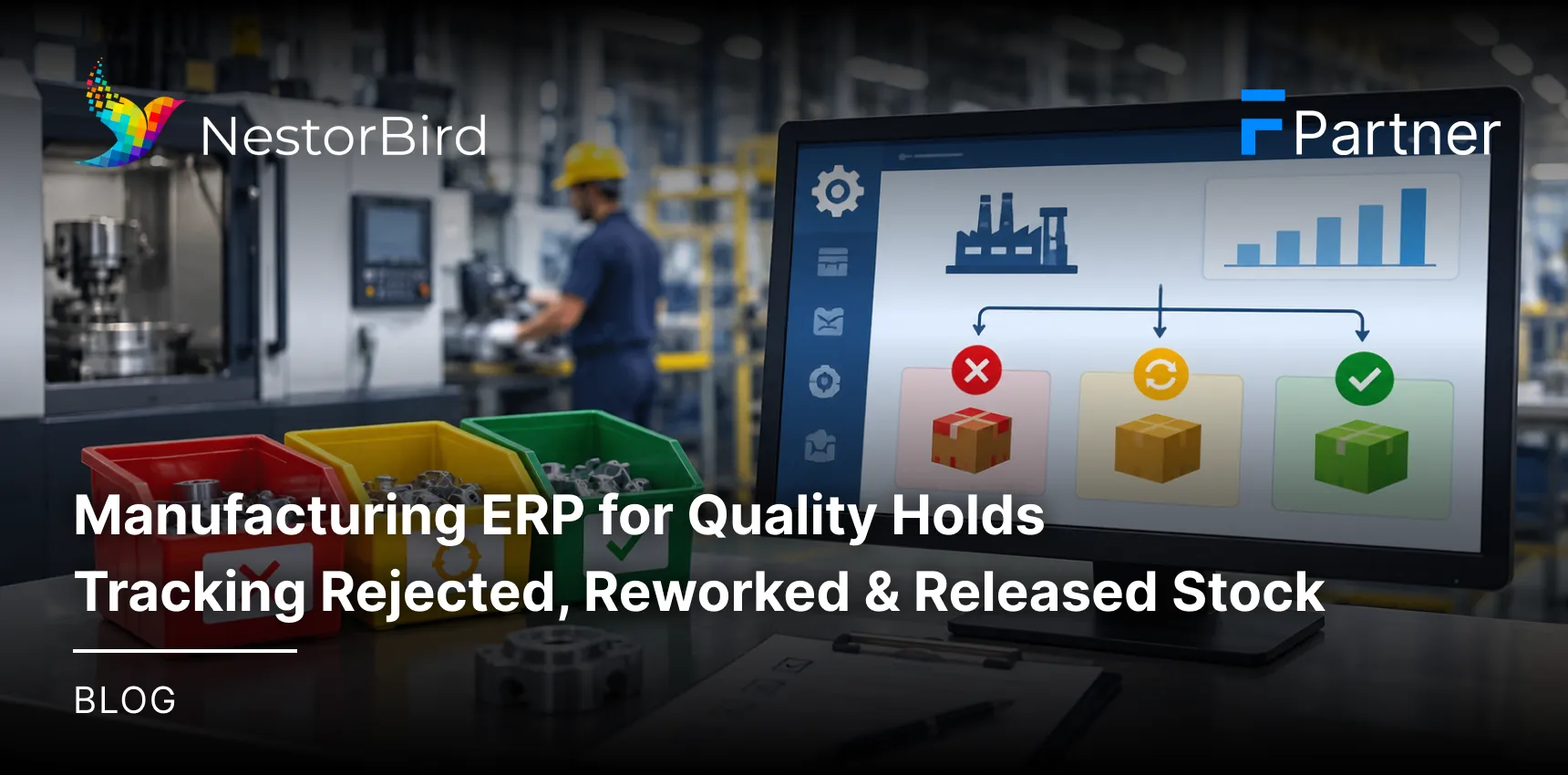
A quality hold temporarily stops inventory from being used, moved or dispatched until it is inspected and an authorized decision is made. Manufacturing ERP can connect inspection results, stock status, rework records and approvals so teams can clearly distinguish stock awaiting inspection, rejected material, rework stock and released inventory. Exact controls depend on the ERP configuration and available modules.
Table Of Contents
Introduction
A failed inspection should not create confusion about what can be used, what needs rework and what must stay blocked. Yet many manufacturing teams still rely on spreadsheets, manual updates or disconnected quality records. This can lead to accidental consumption, delayed rework and unclear stock availability. Manufacturing ERP helps connect inventory status, quality decisions and production records so teams can see what is on hold, why it is on hold and what must happen before it can move forward.
If your team needs broader control over manufacturing inventory and quality workflows, explore manufacturing ERP solutions for a connected approach.
Key Takeaways
Quality holds help stop unapproved inventory from moving into production or dispatch.
Clear statuses separate available, quarantined, rejected, rework and released stock.
Linked inspection and disposition records improve accountability and traceability.
Rework should be followed by reinspection before stock is released.
Permissions, transaction controls and reporting help teams make safer inventory decisions.
What Are Quality Holds in Manufacturing?
A quality hold is a temporary restriction placed on material or finished goods while the team completes an inspection, investigation or authorized disposition decision. The goal is simple: keep questionable stock from being treated as usable stock before someone has confirmed what should happen next.
Common reasons for placing stock on hold include:
Incoming material fails an inspection.
A production batch shows a defect.
Goods are damaged during handling or storage.
Required inspection information is incomplete.
A non-conformance needs review before a final decision.
Understanding Different Stock Statuses
Stock status | What it means | Typical action |
|---|---|---|
Available | Eligible for normal use, subject to other controls. | Use, transfer or dispatch as permitted. |
Quarantined / On hold | Restricted while inspection or a decision is pending. | Inspect, investigate or approve a disposition. |
Rejected | Determined unacceptable for its intended use. | Return, scrap, regrade or follow another approved route. |
Rework | Assigned for corrective processing or repair. | Complete rework and perform required reinspection. |
Released | Approved for the next authorized operation. | Return to normal controlled inventory flow. |
Status names and transitions can vary by company procedures and ERP configuration. The important point is that each status should have a clear meaning and a clear rule for what users can do with the stock.
How Manufacturing ERP Manages Stock on Quality Hold
A Manufacturing inventory management system can connect a quality decision directly to the inventory record. Instead of telling stores, production and purchasing teams separately, the system can show the affected quantity, reason for the hold and current status in one place.
Record the hold reason, affected quantity, inspection result and supporting references.
Use dedicated warehouse or bin locations when physical or virtual segregation is required.
Track batches, lots or serial numbers where applicable.
Restrict consumption, transfers or dispatch for stock that is not approved.
Show held stock separately from usable stock so teams do not mistake total on-hand quantity for available quantity.
Practical Example
Suppose a raw-material lot arrives and fails an incoming inspection. The quality team records the failed result and places the affected quantity on hold. Production can still see the stock, but it should not be treated as available material until an authorized disposition decision is completed.
Tracking Rejected, Reworked and Released Inventory
The most useful quality-hold workflow is one that follows the material from the first inspection result to its final disposition. This creates a clear history of what happened, who approved the decision and why the stock was finally released, rejected or routed for another action.
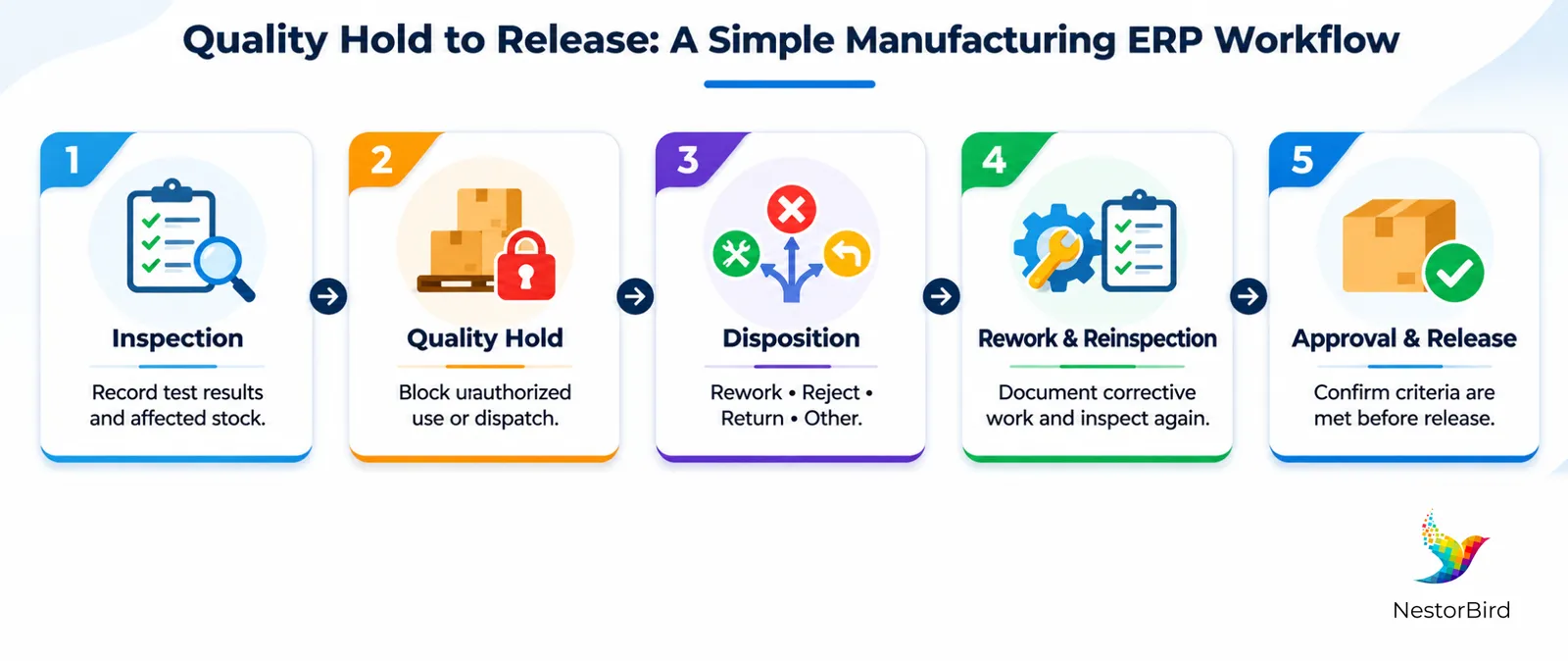
From Inspection Failure to Final Disposition
Inspection: Record test results and identify the affected stock.
Quality hold: Restrict the stock from unauthorized use or dispatch.
Disposition decision: Decide whether to rework, reject, return to the supplier or use another approved route.
Rework and reinspection: Document corrective processing and record the next inspection result.
Approval and release: An authorized person confirms that the applicable acceptance criteria are met before release.
One important rule should remain clear: rework does not automatically mean acceptance. The material still needs to meet the defined acceptance criteria before it is released.
For a quality-control example, see how ERP-based manufacturing quality control can connect inspection and inventory decisions.
Connecting Quality Inspection With Inventory and Production
Quality inspection becomes more useful when it is connected to the records that explain where the material came from and where it was used. A connected ERP can associate inspection information with purchase receipts, supplier references, production orders, batches and finished-goods records.
Traceability and Non-Conformance Records
When a defect is found, teams may need more than a simple pass or fail result. Useful records can include the defect description, non-conformance record, root-cause findings, corrective action and responsible personnel.
For example, if a finished batch fails inspection, the team should be able to review its stock status, production order and inspection history before deciding whether to rework or reject it.
Where quality issues affect production timing, linked data can also support manufacturing production planning and scheduling so planners know which material is actually available.

Key Features to Look for in Manufacturing ERP Software
If you are comparing ERP products, focus on whether the system can control the full quality-hold lifecycle not just record an inspection result. The following checklist can help you compare solutions:
Feature | What to check |
|---|---|
Configurable statuses | Quality-hold reasons and inventory statuses that match your operating process. |
Inspection management | Inspection plans, parameters, results and references linked to the affected stock. |
Inventory visibility | Visibility by warehouse, location, batch or serial number where applicable. |
Approval controls | Role-based permissions so only authorized users can make or approve key decisions. |
Rework tracking | Rework references, corrective operations, follow-up inspections and disposition records where supported. |
Audit trail | A history of stock movements, decisions and status changes. |
Reporting | Views or reports for pending holds, rejected quantities, rework and released stock. |
Before shortlisting vendors, use a manufacturing ERP evaluation checklist to compare functional fit, workflows and implementation needs.
If you are specifically evaluating manufacturing ERP software, confirm which quality and inventory capabilities are included, configured or available through additional modules.
Important: not every Manufacturing ERP product provides every quality capability by default. Some functions may depend on configuration, customization or a separate quality management module.
Benefits and Implementation Considerations
Connecting quality, inventory and production records does not remove the need for clear procedures. It gives teams a better system for applying those procedures consistently.
Fewer stock-control errors: Clear statuses and transaction restrictions can reduce accidental consumption or dispatch of held stock.
Better traceability: Linked records make it easier to investigate defects and identify affected material.
More informed decisions: Reports can show pending holds, recurring defects, rework volumes and rejection patterns.
Before implementation, make sure your team has agreed on:
Which stock statuses are required and what each status allows.
Who can place stock on hold and who can approve release.
What disposition options are allowed for each type of non-conformance.
How rework and reinspection should be documented.
How held stock should be blocked from relevant transactions.
How users will be trained and how the workflow will be tested before go-live.
For packaging manufacturers, a related resource is ERP for packaging production and inventory, which can help teams think through inventory and production workflows in a specific industry context.
Conclusion
Quality holds work best when everyone can see the same stock status, inspection result and next action. Manufacturing ERP can connect held inventory with quality decisions, rework, reinspection, approvals and production records. The result is a clearer workflow for controlling rejected and reworked stock and releasing approved material. For manufacturers evaluating ERP, the key is to match system capabilities with real approval, traceability and inventory-control requirements.

Frequently Asked Questions
A quality hold is a temporary restriction on inventory while it is inspected, investigated or awaiting an authorized disposition decision.
It can update stock status, record affected quantities and hold reasons, restrict relevant transactions, and document the approved disposition.
Quarantined stock is awaiting evaluation, rejected stock is deemed unacceptable for its intended use, and released stock is approved for its next authorized use.
Configured status restrictions, warehouse or bin controls and user permissions can prevent or limit consumption, transfers or dispatch. Effectiveness depends on implementation.
ERP can link rework to the affected stock, record corrective operations, track relevant material movements, capture reinspection results and document final disposition.
Inspection results can be linked to stock quantities and statuses, helping teams decide whether material is available, held, rejected, reworked or released.
Yes, where batch or lot traceability is supported and configured. The system can connect batch identity with inspection, rework and final disposition records.
Look for inspection records, quality statuses, approval controls, non-conformance records, traceability, audit trails, rework support and reporting.
It can connect purchase receipts, batches, production orders, stock movements and inspection history so teams can trace material through key process stages.
Release should follow the defined acceptance criteria, required reinspection and authorized approval. Reworked stock should not be released automatically.